The steps go get your organization onboarded into SchedEx is quite simple, and can be processed withing a short time (typically the same day).
This is how it is done:
You (as the first user from you organization) log in to the SchedEx portal, and will see this message:
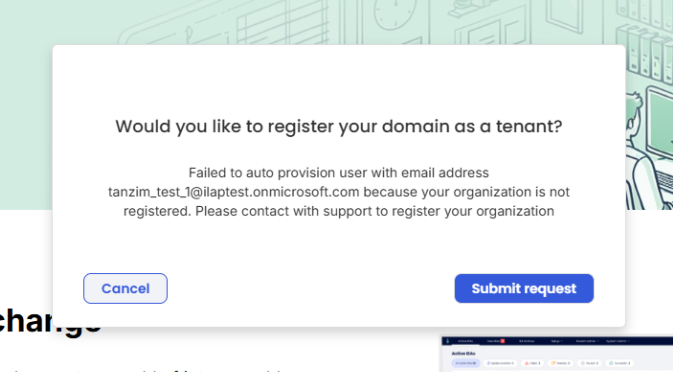
In case you do not see the above dialog (to submit request) please ask you IT manager to click this link and approve it:
https://login.microsoftonline.com/common/adminconsent?client_id=fb186cbf-c089-4f59-977f-90275bcede09
NOTE: The approval dialog for you IT manager will look like this: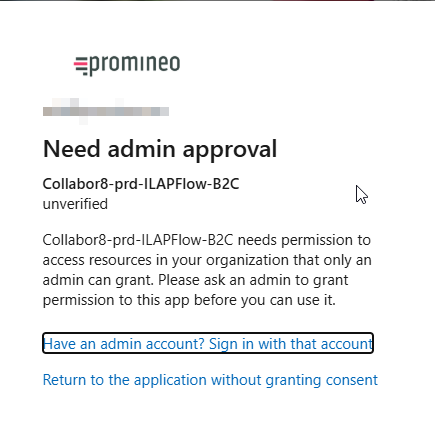
Once the above internal approval process is done, you can proceed and press the "Submit request" button, where you will see this message:
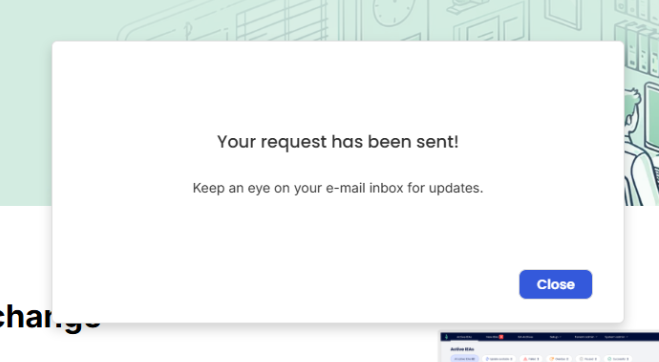
And when you press the "Close"-button, you will get a confirmation that your request is pending approval, and the email of the person to get in touch with for queries (typically not required):
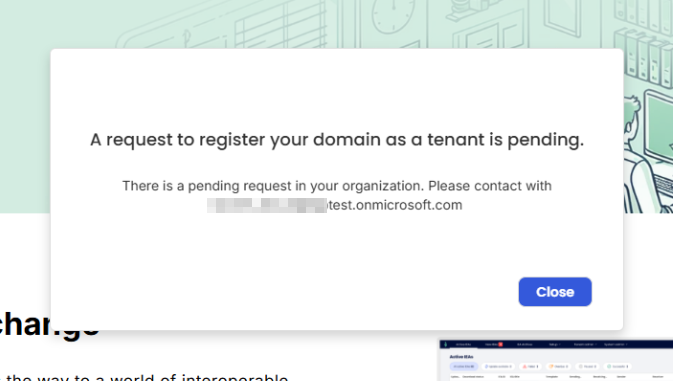
Once the System Admin in SchedEx has approved your request, an email will be sent confirming that your Tenant is created and that you are assigned the role as Tenant Admin.
Other users from your organization can now start using the solution (they will be auto-provisioned, i.e. automatically granted access.
Was this article helpful?
That’s Great!
Thank you for your feedback
Sorry! We couldn't be helpful
Thank you for your feedback
Feedback sent
We appreciate your effort and will try to fix the article